Interaction Layer: Terminal CLI System & Skin Rendering Engine
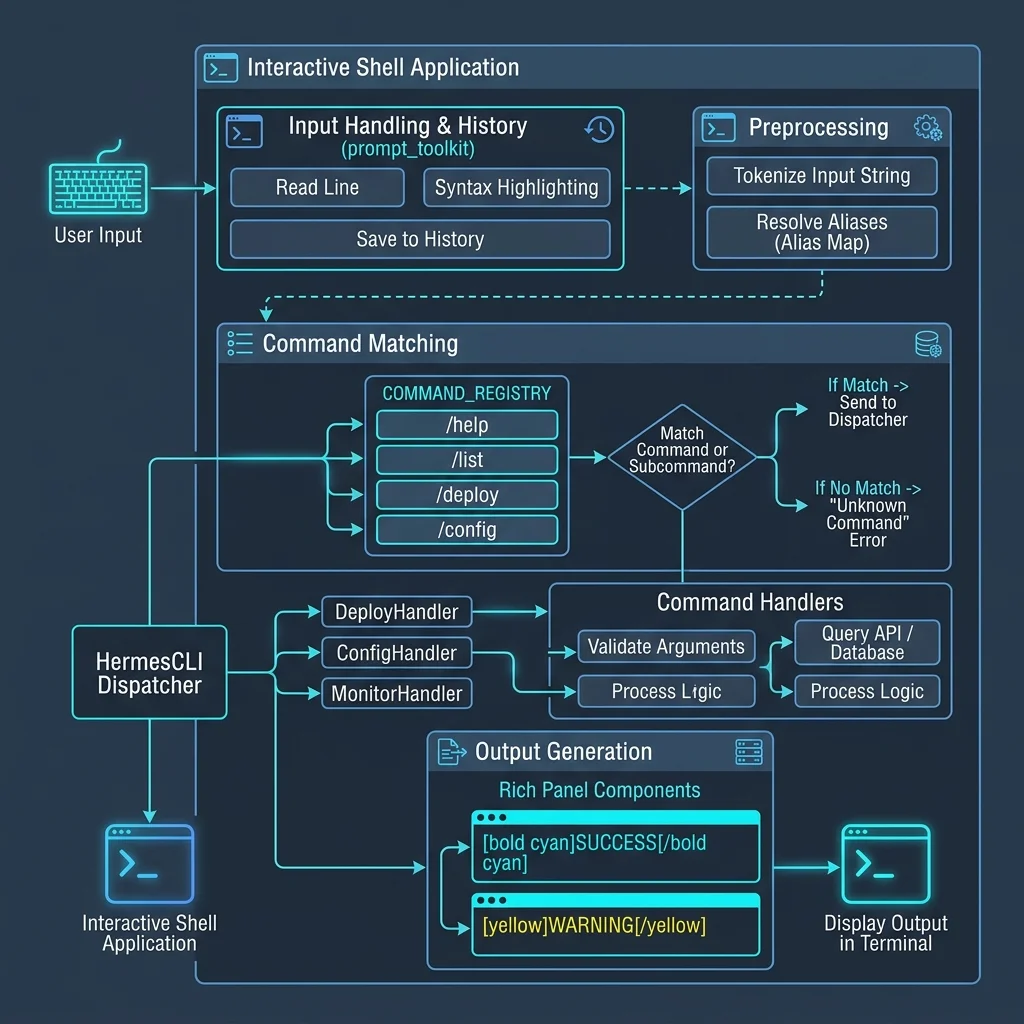
💻 1. Interactive CLI & prompt_toolkit Input Engine
In cli.py (~11k LOC main control flow), to achieve IDE-like real-time input feedback in the terminal, the system replaced native input() with the prompt_toolkit library:
- SlashCommandCompleter (Autocomplete): Defined in
hermes_cli/commands.py, the central command registry dynamically converts into a Trie-based autocomplete. When the user types/, it auto-drops a history and alias list. - Real-Time Syntax Highlighting: Performs lexical analysis on backslashes, JSON parameter segments, and paths in real-time, ensuring an engaging interactive experience.
⚙️ 2. COMMAND_REGISTRY Command Hub & Alias Resolution
All console slash commands are uniformly defined in the COMMAND_REGISTRY array in hermes_cli/commands.py:
# CommandDef structure in commands.py
class CommandDef:
    def __init__(self, name: str, description: str, category: str, aliases: tuple = (), cli_only: bool = False):
        self.name = name
        self.description = description
        self.category = category
        self.aliases = aliases
        self.cli_only = cli_only
When a user triggers /bg or /background in the console or gateway (e.g., Telegram), the system calls resolve_command() inside cli.py's process_command(), automatically traces aliases to their canonical name, and dispatches them to the corresponding method, significantly reducing maintenance overhead.
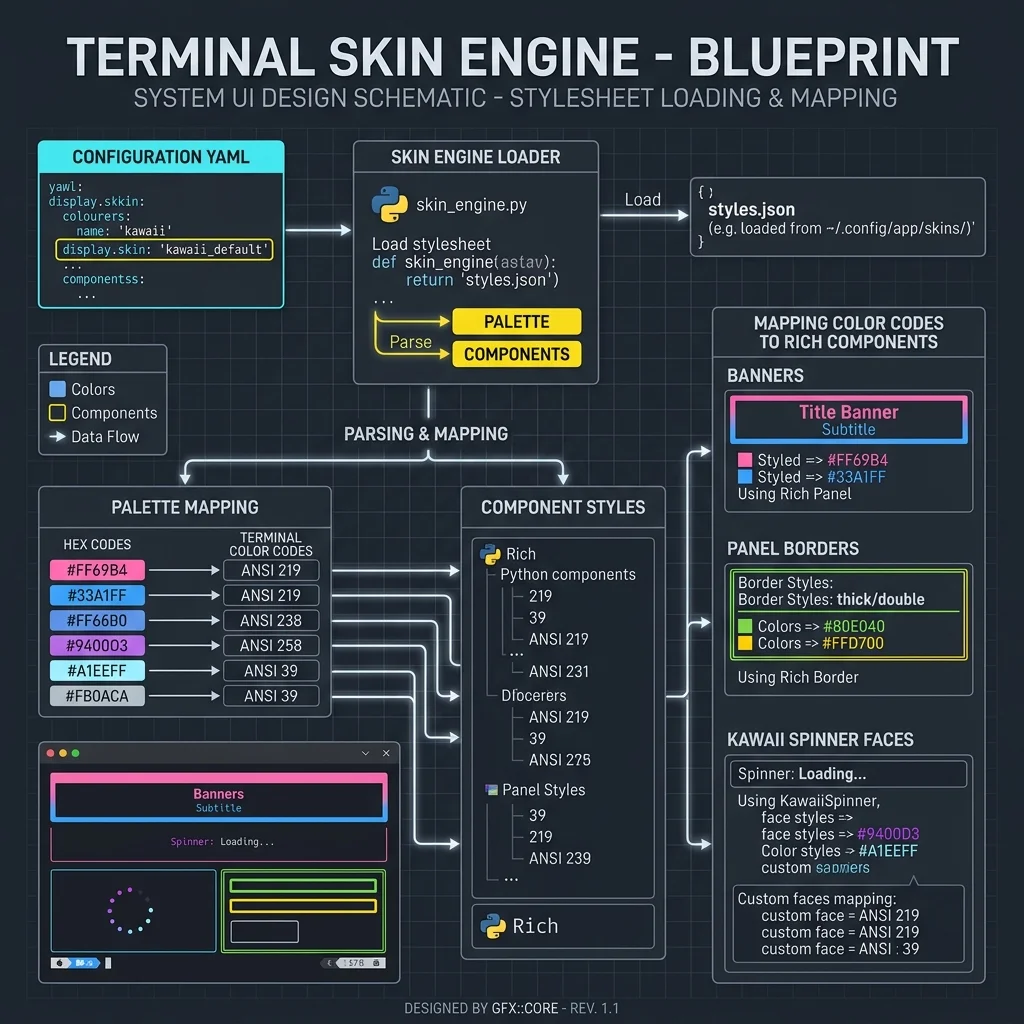
🎨 3. Skin Engine & Rich / KawaiiSpinner Emoji Animations
The console's premium visual experience is achieved through the collaborative work of the following two components:
- Skin Engine (hermes_cli/skin_engine.py):
At initialization, the engine reads the
display.skinfield from the user'sconfig.yaml(e.g.,kawaii_default), dynamically mapping HEX/ANSI color codes from JSON/YAML skin configuration files to Rich console panels and borders. - KawaiiSpinner (agent/display.py):
During the LLM's generation and thinking wait time, the system not only starts a character animation but also switches cute facial expressions (e.g.,
(* ^ ω ^),(o_O)) inKawaiiSpinnerbased on execution status (API phase, tool call phase), rendering current tool parameter results with a┊prefix on the side dynamic log stream.
🔗 Sub-Chapter Deep Dives
For a deeper understanding of CLI command interaction, we recommend the following technical sub-topics: